Deconstructing UX Design: More Than Just Pretty Pictures
At its core, User Experience (UX) design is about enhancing user satisfaction by improving the usability, accessibility, and pleasure provided in the interaction between the user and a product. This definition, while succinct, barely scratches the surface of a multifaceted discipline that draws from psychology, cognitive science, anthropology, computer science, and even art. Unlike traditional design fields that might focus predominantly on form or function in isolation, UX design is holistic, considering the entire journey a user takes when engaging with something.
Imagine you’re designing a new coffee maker. A traditional product designer might focus on its sleek exterior, the materials, and its brewing capabilities. A UX designer, however, would ask a barrage of questions that extend far beyond these surface-level considerations: How easy is it for someone to unbox it? Can they quickly understand how to set the time or brew a cup without reading a dense manual? What happens if they accidentally spill water? Is the ‘on’ button clearly distinguishable from the ‘brew’ button? How does the sound of the brewing coffee contribute to or detract from the morning ritual? These questions highlight that UX isn’t just about the product itself, but the feelings, perceptions, and responses that arise before, during, and after its use.
The term “UX design” was coined by Don Norman, a cognitive scientist, in the early 1990s. He emphasized that user experience encompasses all aspects of the end-user’s interaction with the company, its services, and its products. This broad scope means UX designers are concerned with more than just the aesthetics (which falls under User Interface, or UI, design); they’re concerned with functionality, content, accessibility, information architecture, and the emotional connection a user develops.
Consider a website or an application. While a beautiful interface (UI) might initially attract a user, a poor user experience will quickly drive them away. If navigation is confusing, if forms are cumbersome to fill out, or if key information is hard to find, even the most visually appealing design will fail. UX design ensures that every step of the user’s journey is intuitive, efficient, and ultimately satisfying. It’s about solving problems for users and creating delightful interactions, transforming frustration into fluency and confusion into clarity. In essence, UX design is the invisible architecture that supports and elevates every visible element, ensuring that the interaction isn’t just functional, but truly enjoyable and meaningful.
The Core Pillars of User Experience Design
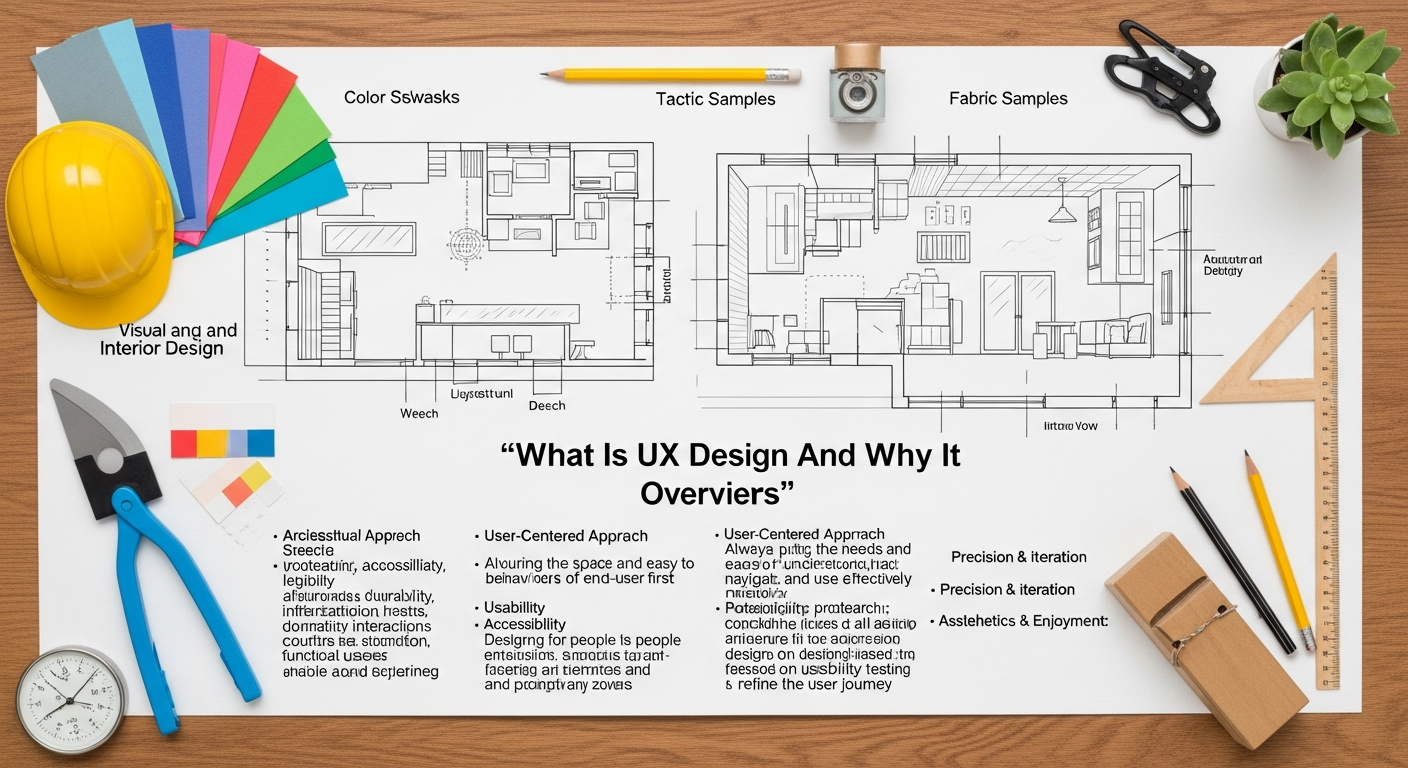
To truly understand UX design, it’s essential to break it down into its foundational components. These pillars are not isolated concepts but rather interconnected elements that collectively contribute to a robust and positive user experience. Ignoring even one of these can lead to friction and dissatisfaction, regardless of how well other aspects are executed.
Usability: The Foundation of Interaction
Usability is arguably the most recognized aspect of UX design, focusing on how easy and pleasant it is for users to interact with a product or system. A highly usable product is efficient, effective, and satisfying to use. This pillar asks:
- Is it easy to learn? Can first-time users quickly grasp how to use the product effectively?
- Is it efficient to use? Once learned, can users perform tasks quickly and with minimal effort?
- Is it memorable? Can users easily recall how to use the product after a period of not using it?
- Is it error-tolerant? Does the system prevent errors where possible, and when errors do occur, does it help users recover gracefully?
- Is it satisfying? Do users enjoy the experience of using the product?
For instance, an e-commerce website with a clear checkout process, intuitive search filters, and concise product descriptions exemplifies strong usability. Conversely, a website with hidden buttons or confusing terminology would fail this crucial test.
Accessibility: Design for Everyone
Accessibility in UX design means ensuring that products and services can be used by people with the widest range of abilities and disabilities. This isn’t just about compliance; it’s about inclusivity and expanding your potential audience. Considerations include:
- Visual impairments: Ensuring sufficient color contrast, providing alternative text for images, and supporting screen readers.
- Auditory impairments: Providing captions or transcripts for audio content.
- Motor impairments: Designing for keyboard navigation, providing large clickable areas, and minimizing complex gestures.
- Cognitive impairments: Using clear, simple language, consistent navigation, and predictable layouts.
An accessible design benefits everyone, not just those with disabilities. Think of curb cuts: designed for wheelchairs, they also benefit parents with strollers, delivery drivers, and cyclists. Adhering to guidelines like WCAG (Web Content Accessibility Guidelines) is paramount for creating truly inclusive digital experiences in 2026.
Utility: Solving Real Problems
Utility refers to whether a product actually serves a useful purpose and meets a genuine need or solves a real problem for the user. A product can be incredibly usable and aesthetically pleasing, but if it doesn’t offer a compelling solution to a user’s problem, it lacks utility. UX designers must first understand what users need and want before attempting to design a solution. This often involves extensive user research to validate assumptions and identify unmet needs. A dating app, for example, has utility if it genuinely helps people connect with potential partners, not just if it looks good and is easy to swipe.
Findability: The Art of Information Architecture
Can users easily locate what they’re looking for within your product or website? This is the essence of findability, and it’s heavily reliant on strong Information Architecture Explained. Information Architecture (IA) is the structural design of shared information environments; it’s about organizing, structuring, and labeling content in an effective and sustainable way. Good IA ensures users can:
- Navigate intuitively: Understand where they are and how to get to where they want to go.
- Search effectively: Find relevant information quickly using search functions.
- Understand relationships: Grasp how different pieces of content relate to each other.
Without solid IA, even the most valuable content becomes lost, frustrating users and diminishing the overall experience. Think of a well-organized library versus a chaotic pile of books – the former allows for easy findability, the latter does not.
Desirability: The Emotional Connection
Desirability encompasses the emotional aspect of UX – how appealing, engaging, and enjoyable a product is to use. This is where aesthetics and emotional design play a significant role. A desirable product evokes positive feelings, builds trust, and fosters loyalty. It’s often influenced by:
- Visual design: Aesthetics, branding, and overall look and feel (often handled by UI designers, but guided by UX research). This ties directly into UI Design Principles For Beginners, emphasizing elements like visual hierarchy, color theory, and typography.
- Interaction design: Smooth animations, satisfying feedback, and delightful micro-interactions.
- Branding and tone: The personality conveyed through language, imagery, and overall style.
A desirable product isn’t just functional; it’s a joy to use, creating a positive association with the brand. Apple products are a classic example of high desirability, combining sleek design with seamless functionality.
Credibility: Building Trust
Credibility refers to whether users trust your product and the information it provides. In an age of misinformation and security concerns, building trust is paramount. Credibility in UX is established through:
- Professional design: A polished and well-maintained interface.
- Transparency: Clear privacy policies, terms of service, and contact information.
- Accuracy: Reliable and up-to-date information.
- Security: Visible indicators of secure transactions and data protection.
- Social proof: Testimonials, ratings, and reviews from other users.
A website that looks outdated, contains broken links, or lacks clear contact information will struggle to establish credibility, making users hesitant to engage further or share personal information.
By thoughtfully addressing each of these pillars, UX designers create experiences that are not only functional and efficient but also inclusive, trustworthy, and genuinely delightful. This comprehensive approach ensures that every interaction contributes positively to the user’s overall perception and satisfaction.
The UX Design Process: A Journey of Empathy and Iteration
1. Research: Understanding the User and Context
The UX process begins with a profound dive into understanding the target audience, their needs, behaviors, motivations, and pain points. This crucial phase lays the groundwork for all subsequent design decisions. Key activities include:
- User Interviews: One-on-one conversations to gain qualitative insights into user perspectives and experiences.
- Surveys and Questionnaires: Gathering quantitative data from a larger user base to identify trends and preferences.
- Ethnographic Studies: Observing users in their natural environments to understand real-world behaviors and contexts.
- Competitive Analysis: Examining competitor products and services to identify strengths, weaknesses, and market opportunities.
- Persona Development: Creating fictional representations of ideal users based on research data, detailing their demographics, goals, motivations, and frustrations.
- Journey Mapping: Visualizing the entire process a user goes through to accomplish a goal, highlighting touchpoints, emotions, and pain points.
Without robust research, design is merely guesswork. This phase ensures that the problems being solved are real and that the solutions are truly user-centered.
2. Analysis: Synthesizing Insights and Defining Problems
Once research data is collected, the next step is to synthesize and analyze it to uncover patterns, insights, and opportunities. This involves:
- Affinity Mapping: Grouping similar observations and insights to identify themes.
- Problem Statements: Clearly articulating the core user problems that the design aims to solve.
- Defining User Stories: Short, simple descriptions of a feature told from the perspective of the user, e.g., “As a user, I want to be able to reset my password easily, so I can regain access to my account quickly.”
This phase translates raw data into actionable insights, providing a clear direction for the design phase.
3. Design: Crafting the Solution
With a clear understanding of the users and their problems, the design phase begins. This is where ideas take shape, moving from abstract concepts to tangible artifacts.
- Information Architecture (IA): This foundational step involves organizing and structuring the content and functionality of a product in a way that is logical and intuitive. As highlighted in Information Architecture Explained, IA defines navigation, labeling, search, and organization systems. It’s about creating the blueprint that guides users seamlessly through the product. A well-designed site map and clear navigation menus are direct results of strong IA.
- Wireframing: These are low-fidelity, black-and-white layouts that outline the basic structure, content, and functionality of a page or screen. Wireframes focus on placement and hierarchy without concerning themselves with visual aesthetics. They are quick to create and allow for rapid iteration on layout ideas.
- Prototyping: Prototypes are interactive models of the product that simulate its functionality. They range from low-fidelity (clickable wireframes) to high-fidelity (near-final visual designs with interactive elements). Prototyping allows designers to test user flows and interactions before committing to costly development.
- User Interface (UI) Design: While UX defines how a product works, UI defines how it looks and feels. UI designers focus on visual elements like color palettes, typography, iconography, and overall aesthetics. This is where UI Design Principles For Beginners come into play, ensuring visual consistency, clear calls to action, and an appealing brand identity. The UI translates the UX blueprint into a visually engaging and intuitive interface.
This iterative process often involves sketching, brainstorming, and collaborative design sessions, constantly refining ideas based on feedback and evolving understanding.
4. Testing: Validating and Refining
Once initial designs and prototypes are ready, they are put in front of real users for testing. This critical phase helps validate design decisions and uncover usability issues that might have been overlooked. Key testing methods include:
- Usability Testing: Observing users as they attempt to complete tasks with the product, identifying pain points, confusion, and areas for improvement.
- A/B Testing: Comparing two versions of a design (A and B) with different user segments to see which performs better against specific metrics (e.g., conversion rates, click-through rates).
- Card Sorting & Tree Testing: Methods specifically used to test and refine Information Architecture by understanding how users group information and navigate through hierarchical structures.
- Heuristic Evaluation: Expert reviewers assess the interface against a set of established usability principles.
Testing provides invaluable feedback, allowing designers to identify what works well and what needs improvement, ensuring the product truly meets user needs.
5. Iteration: The Cycle of Improvement
The UX process is not linear; it’s a continuous loop. Insights gained from testing lead to refinements in the design, which are then re-tested, and so on. This iterative cycle ensures that the product evolves based on real user feedback, constantly improving the experience. As products grow and user needs change, the UX process begins anew, ensuring ongoing relevance and satisfaction. This commitment to continuous improvement is what makes UX design so powerful and effective in creating truly user-centered products and services.
UX Design Methodologies: Design Thinking, Lean UX & Jobs-to-be-Done
UX designers draw on several complementary methodologies. Understanding which to apply — and when — is a mark of professional competence:
- Design Thinking (IDEO / Stanford d.school): 5-stage human-centered framework — Empathize → Define → Ideate → Prototype → Test. Widely adopted for complex, ambiguous problems. IDEO’s Tim Brown and Stanford’s d.school popularized it as an organizational innovation methodology (Brown, 2008, Harvard Business Review).
- Lean UX (Jeff Gothelf & Josh Seiden, 2013): Integrates UX into Agile/Scrum sprints. Focuses on Build → Measure → Learn rapid iteration loops, minimizing documentation and maximizing validated learning. Ideal for startup environments and cross-functional product teams.
- Jobs-to-be-Done (JTBD) (Clayton Christensen, Harvard Business School): Users “hire” products to do a job. Research focuses on understanding the outcome users seek (“When I [situation], I want to [motivation], so I can [outcome]”) rather than demographic profiles. Used extensively at Intercom, Basecamp, and Apple.
UX Research Tools Reference (2026)
| Tool | Category | Key Use Cases |
|---|---|---|
| Hotjar (hotjar.com) | Behavioral analytics | Heatmaps, session recordings, funnel analysis, on-site surveys |
| FullStory (fullstory.com) | Digital experience analytics | Session replay, rage clicks, DX Data for product teams |
| UserTesting (usertesting.com) | Moderated/unmoderated user testing | Remote usability tests, think-aloud protocols, recruited participants |
| Optimal Workshop (optimalworkshop.com) | Information architecture research | Card sorting (Optimal Sort), tree testing (Treejack), first-click testing (Chalkmark) |
| Maze (maze.co) | Rapid prototyping tests | Unmoderated usability testing for Figma/Adobe prototypes; mission success rate analytics |
| Lookback (lookback.com) | Live user interviews | Moderated remote interviews, live collaboration with stakeholders |
Why UX Design Isn’t a Luxury, But a Necessity in 2026
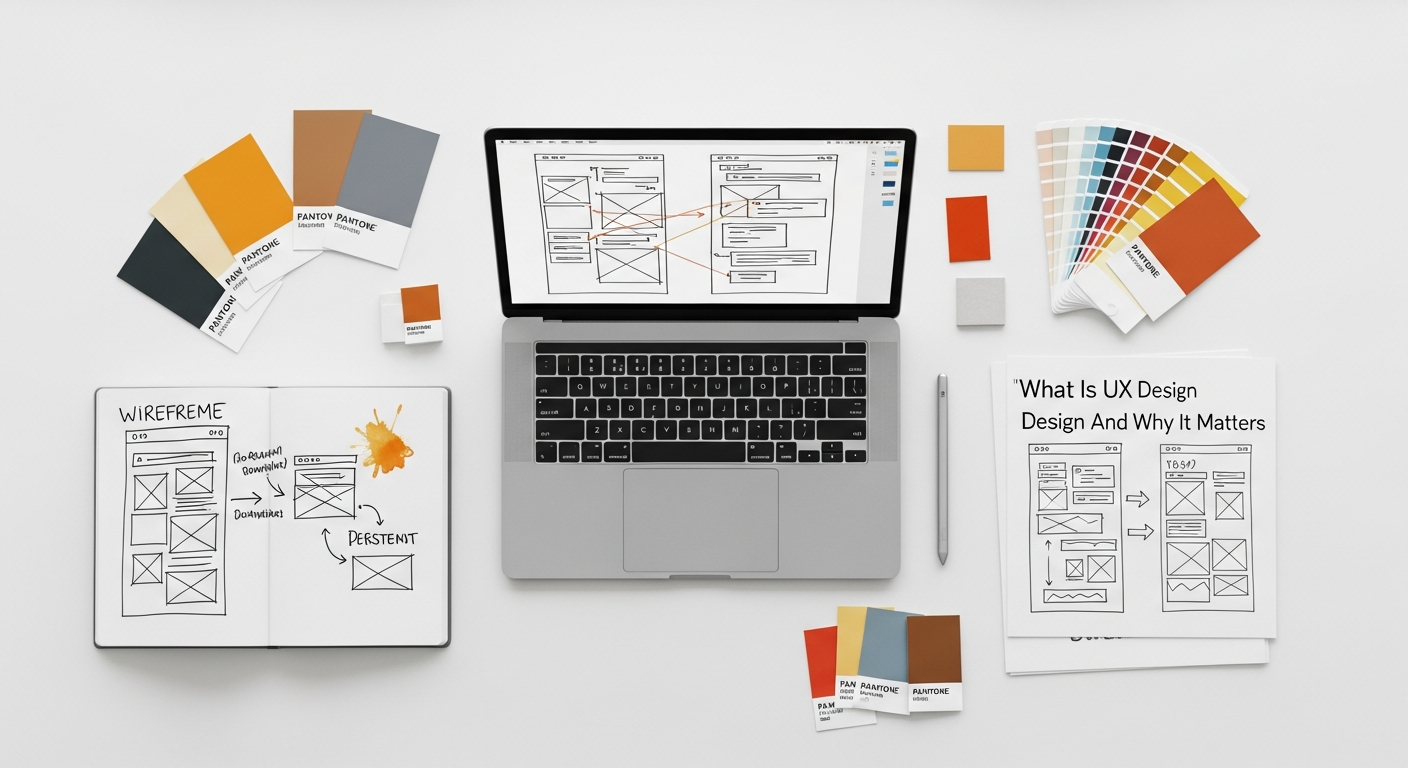
In the rapidly evolving digital landscape of 2026, where consumers are savvier, choices are abundant, and attention spans are fleeting, user experience design has transcended its status as a mere enhancement. It is no longer a ‘nice-to-have’ but a fundamental, strategic imperative for any business aiming for sustained success. The implications of good (or bad) UX ripple across every aspect of an organization, from its bottom line to its brand reputation.
Driving Business Impact and ROI
The most compelling argument for investing in UX design lies in its tangible business benefits. A well-designed user experience directly translates into:
- Increased Customer Loyalty and Retention: Users who have a positive, seamless experience are far more likely to return. Frustrating experiences, conversely, drive customers away, often to competitors. Loyalty is built on consistent satisfaction.
- Higher Conversion Rates: Whether it’s signing up for a newsletter, making a purchase, or downloading an app, a clear, intuitive, and delightful UX guides users effortlessly towards desired actions, significantly boosting conversion rates. Removing friction is key.
- Reduced Support Costs: When a product is intuitive and easy to use, users encounter fewer problems and require less assistance. This drastically reduces the volume of customer support inquiries, freeing up resources and saving operational costs.
- Faster Time-to-Market (and fewer re-designs): By identifying and addressing user needs early in the design process through research and testing, businesses can avoid costly reworks post-launch. Getting it right the first time, or at least refining significantly before launch, saves immense time and development resources.
- Enhanced Brand Value: A company known for delivering exceptional user experiences builds a reputation for quality, reliability, and customer focus. This intangible asset significantly contributes to brand equity and perception.
Numerous studies consistently demonstrate a strong correlation between UX investment and positive ROI. Companies that prioritize UX often outperform competitors in market share, revenue growth, and customer satisfaction metrics.
Measuring UX Success: Key Performance Indicators
Effective UX design is measurable. These are the standard metrics used by UX teams and business stakeholders to quantify user experience quality and business impact:
| Metric | What It Measures | Industry Benchmark |
|---|---|---|
| System Usability Scale (SUS) | Overall usability on a 0–100 scale via 10-question survey (Brooke, 1986) | 68 = average; 80+ = good; 90+ = excellent |
| Task Success Rate | % of users who complete a defined task without assistance or errors | 78% median across industries (Nielsen Norman Group) |
| Time on Task | Average time to complete a key user task; lower = more efficient | Varies by task; track relative improvement iteration-over-iteration |
| Net Promoter Score (NPS) | Likelihood to recommend product (0–10 scale); NPS = % Promoters − % Detractors | Consumer apps median: 30–40; enterprise software: 10–30 |
| Error Rate | % of task attempts resulting in user errors (slips, mistakes, misunderstandings) | <5% target for well-designed critical task flows |
| Conversion Rate Lift | % increase in desired actions (sign-ups, purchases, form completions) after UX improvements | Forrester (2023): every $1 invested in UX returns $100 (ROI = 9,900%) |
Reference: Nielsen Norman Group UX Research Reports (nngroup.com); Brooke, J. (1986). SUS: A quick and dirty usability scale. Usability Evaluation in Industry.
Gaining a Competitive Advantage
In almost every industry, the market is saturated with options. Products and services often offer similar features and functionalities. What truly differentiates market leaders in 2026 is often the superiority of their user experience. A product that is easier to use, more intuitive, and more enjoyable will inherently stand out. This competitive edge isn’t just about attracting new customers; it’s about retaining them in a landscape where switching costs are often low. A delightful UX fosters emotional connections that are hard for competitors to replicate through features alone.
Building a Stronger Brand Reputation
Your product’s UX is an extension of your brand. Every interaction a user has with your digital touchpoints shapes their perception of your company. A thoughtful, user-centered design communicates care, professionalism, and reliability. Conversely, a clunky, confusing, or frustrating experience can severely damage a brand’s reputation, leading to negative reviews, social media backlash, and a loss of trust. In the age of instant communication, a single poor experience can quickly go viral, making proactive UX investment a critical aspect of brand management.
Meeting Evolving User Expectations
Users in 2026 have grown accustomed to seamless, intuitive digital experiences from leading tech companies. Their expectations are higher than ever before. They expect personalization, speed, ease of use, and delightful interactions as standard, not as a bonus. If your product fails to meet these elevated expectations, users will simply move on to alternatives that do. UX design is the discipline that ensures your offerings not only meet but exceed these evolving user demands, keeping your business relevant and preferred.
Fostering Innovation and Future Growth
User experience research often uncovers unmet needs and previously unrecognized pain points, sparking opportunities for innovation. By deeply understanding user behaviors and frustrations, companies can identify gaps in the market or develop entirely new features and services that truly resonate. UX designers are not just problem-solvers; they are often catalysts for innovation, driving forward-thinking solutions that can define future product roadmaps and open up new revenue streams. Investing in UX is thus investing in the future-proofing and sustained growth of your business.
In conclusion, UX design is not an optional extra; it is a strategic necessity that delivers measurable value across the business spectrum. It’s about building products and services that people love, trust, and return to, ensuring long-term success in the competitive landscape of 2026.
The Symbiotic Relationship: UX, UI, and Beyond
While often used interchangeably, User Experience (UX) and User Interface (UI) design are distinct yet deeply intertwined disciplines. Understanding their symbiotic relationship is crucial to appreciating the holistic nature of product development. Beyond this core duo, UX also touches upon and influences several other critical aspects of business and design, demonstrating its pervasive impact.
UX vs. UI: Form Meets Function
Think of it this way: UX design is the blueprint of a house, and UI design is the interior decoration.
- UX (User Experience) Design: This is the strategic, research-driven process of making a product useful, usable, and desirable. It focuses on the overall feeling of the experience. UX designers are concerned with the structure, logic, and flow of the entire system. They ask questions like: “How does the user navigate from point A to point B?” “Is the process intuitive?” “What problem are we solving for the user?”
- UI (User Interface) Design: This is the aesthetic and interactive part of a product. It focuses on the visual elements and interactive properties. UI designers are concerned with how the product looks and interacts. They determine the visual hierarchy, color schemes, typography, button styles, animations, and overall visual brand identity. They ask questions like: “What colors should we use?” “How big should this button be?” “Does this animation provide helpful feedback?”
A good UX ensures the house is structurally sound, has logical room layouts, and a functional plumbing system. A good UI ensures the house is beautifully decorated, with inviting colors, comfortable furniture, and aesthetically pleasing fixtures. You can have a beautiful house (great UI) that’s impossible to live in (bad UX), or a perfectly functional house (great UX) that’s visually unappealing (bad UI). The best products achieve excellence in both, where a well-thought-out UX is brought to life by a compelling UI. This is where the principles outlined in UI Design Principles For Beginners become essential, guiding the creation of interfaces that are not just pretty, but also effective and user-friendly, directly supporting the underlying UX goals.
Beyond the Screen: UX in Content Strategy
UX principles extend directly into content strategy. Content isn’t just words on a page; it’s a critical component of the user experience. A UX-aware content strategy focuses on:
- Clarity and Conciseness: Ensuring information is easy to understand and free of jargon.
- Relevance: Providing content that directly addresses user needs and questions.
- Findability: Structuring content with clear headings, subheadings, and internal links to aid navigation (a direct link to Information Architecture).
- Tone of Voice: Matching the brand’s personality and resonating with the target audience.
Even something like a Social Media Graphics Design Guide benefits immensely from UX thinking. The graphics aren’t just about visual appeal; they need to convey a message clearly, grab attention quickly, and guide the user to a desired action (e.g., clicking a link, sharing, commenting). The user experience on social media is fleeting, so a graphic must be instantly understandable and engaging, reflecting UX principles of clarity, efficiency, and desirability.
Service Design: The Holistic Experience
UX design primarily focuses on the interaction with a specific product. Service design, however, takes a broader view, encompassing the entire end-to-end journey of a customer interacting with a service, which might involve multiple touchpoints – digital and physical, human and automated. It considers the ‘frontstage’ (what the customer sees) and the ‘backstage’ (the internal processes and systems that make the service possible). UX designers often contribute heavily to service design projects, focusing on optimizing the digital touchpoints within the larger service ecosystem.
Product Design: The Overarching Discipline
Product design is an umbrella term that often includes UX design, UI design, and other disciplines like industrial design, engineering, and business strategy. A product designer is typically involved in the entire lifecycle of a product, from conception to launch and iteration, often focusing on market fit, business goals, and technical feasibility alongside user needs. UX design forms a critical component of successful product design, ensuring that the final product is not only viable and feasible but also desirable and usable by its target audience.
In essence, UX design is a foundational discipline that informs and elevates various other design and business functions. Its principles ensure that whether you’re crafting an app, writing compelling content, or designing a comprehensive service, the end result is consistently centered around the needs and satisfaction of the human at the other end. This interconnectedness underscores why a deep understanding of UX is so valuable across diverse creative and commercial fields.
Investing in UX: A Strategy for Future-Proofing Your Business
As we navigate the complexities and rapid advancements of 2026, the strategic imperative of investing in User Experience (UX) design becomes undeniably clear. It’s not merely about improving isolated elements of a product; it’s about embedding a user-centric philosophy into the very DNA of an organization. This commitment to understanding and serving user needs is the most robust strategy for future-proofing any business against disruption, ensuring sustained relevance, and fostering enduring growth.
Embedding UX into Organizational Culture
True investment in UX goes beyond hiring a few designers; it involves cultivating a user-centric culture throughout the organization. This means:
- Leadership Buy-in: Executives and managers must understand and champion the value of UX, allocating resources and integrating UX thinking into strategic planning.
- Cross-functional Collaboration: UX designers should work closely with product managers, developers, marketers, and customer support teams. This ensures that user insights inform every stage of product development and communication.
- Continuous Learning and Empathy: Encouraging all employees to engage with user research, understand customer pain points, and develop empathy for the end-user.
When UX is a core value, rather than a department, it leads to more cohesive, user-friendly products and services across the board.
Long-Term Benefits for Businesses and Users
The returns on UX investment are significant and long-lasting:
- Sustainable Growth: By consistently delivering superior experiences, businesses build a loyal customer base, which is crucial for predictable revenue and expansion. Satisfied users become advocates, driving organic growth through word-of-mouth.
- Innovation Leadership: A deep understanding of user needs and behaviors often uncovers unmet market demands, paving the way for groundbreaking products and services that define new categories or disrupt existing ones. UX research is a fertile ground for true innovation.
- Brand Resilience: In times of economic uncertainty or competitive pressure, brands known for their excellent user experiences are more resilient. Customers are less likely to abandon a brand they trust and enjoy interacting with.
- Enhanced Employee Satisfaction: For internal tools and systems, good UX improves employee productivity, reduces frustration, and contributes to a more positive work environment. Happy employees are often more productive and engaged.
These benefits highlight that UX is not just a cost center, but a powerful engine for strategic advantage and long-term viability.
Future Trends in UX: Staying Ahead of the Curve
The landscape of user interaction is constantly evolving. Investing in UX means staying attuned to emerging trends and preparing for future shifts:
- AI and Machine Learning in UX: AI is increasingly being used to personalize experiences, automate tasks, and provide intelligent assistance. UX designers will need to design for these intelligent systems, ensuring they are transparent, controllable, and ethical.
- Voice User Interfaces (VUIs) and Conversational AI: As smart speakers and voice assistants become ubiquitous, designing intuitive and natural conversational experiences will be paramount. This requires a different approach to interaction design, focusing on dialogue flow, natural language processing, and context.
- Augmented Reality (AR) and Virtual Reality (VR): Immersive experiences are moving beyond gaming. UX designers are exploring how to create intuitive and comfortable interactions within 3D environments, addressing challenges like spatial navigation, motion sickness, and haptic feedback.
- Ethical UX and Data Privacy: With growing concerns about data privacy and digital well-being, ethical UX design will become even more critical. Designing for transparency, user control, and responsible data usage will be non-negotiable.
- Inclusive Design Continues to Expand: Beyond traditional accessibility, inclusive design will increasingly consider neurodiversity, cultural differences, and socio-economic factors to ensure products resonate with an even broader audience.
By proactively investing in UX and fostering a culture of continuous learning and adaptation, businesses can confidently navigate these technological shifts, ensuring their products and services remain at the forefront of innovation and user satisfaction. In 2026, the businesses that prioritize and master user experience will be the ones that thrive, build lasting relationships, and ultimately shape the future of interaction.
How to Learn UX Design in 2026: Certifications, Courses & Portfolio Path
UX design is one of the most in-demand skills globally. LinkedIn Workforce Report (2025) ranked UX/Product Design in the top 10 hardest-to-fill skills. Here’s a realistic path from beginner to job-ready:
Timeline to Job-Ready UX Designer
- 0–3 months: Learn UX fundamentals (this guide!), start with a free course (Google UX Design Certificate via Coursera — 6 months at 10 hrs/week, or Interaction Design Foundation at $29/month). Practice in Figma (free Starter plan). Complete 1 end-to-end case study.
- 3–6 months: Build 3 portfolio case studies covering: (1) mobile app redesign with usability testing, (2) information architecture & card sorting project, (3) end-to-end product design from research to prototype. Document your process, not just the final screens.
- 6–12 months: Prepare for entry-level UX roles. Consider NN/g UX Certification (Nielsen Norman Group — industry’s most recognized; courses from $449–$2,499/module, 5 specialties, UMC/UMAP credentials). Target roles: Junior UX Designer, UX Researcher, Product Designer.
Top UX Learning Resources (2026)
| Resource | Type | Cost & Credential |
|---|---|---|
| Google UX Design Certificate (Coursera) | Online self-paced | ~$49/mo or ~$300 total; Google-backed certificate recognized by hiring managers |
| NN/g UX Certification (Nielsen Norman Group) | Online + in-person training | $449–$2,499/module; UMC (UX Master Certificate) or UMAP credentials; most respected in enterprise contexts |
| Interaction Design Foundation (IDF) | Online self-paced | $29/mo membership; industry-recognized certificates; strong foundation courses (HCI, Design Thinking, Usability) |
| Human-Computer Interaction (HCI) — Stanford (Coursera) | MOOC / University course | Free audit; paid certificate; foundational academic grounding in cognitive science + UX |
| Figma Community / YouTube (AJ&Smart, DesignCourse) | Free tutorials | Free; excellent for tool proficiency and design pattern inspiration |
Portfolio tip: Hiring managers care about your process, not perfection. Each case study should include: problem definition, user research (at least 3–5 interviews or survey data), persona, user journey map, wireframes, prototype, usability test results, and final solution with metrics. Use Figma to design and create a portfolio site on Notion, Squarespace, or Cargo.
Frequently Asked Questions
Recommended Resources
Related reading: What Is Api Integration And Why It Matters For Business (Eamped).
Learn more about this topic in Best Home Office Setup Ideas 2026 at Bookmark Sharer.
Foundational Laws and Principles Every UX Designer Must Know
UX design is grounded in cognitive psychology and behavioral science. These laws underpin virtually every UI/UX decision:
| Law / Principle | Origin & Definition | UX Application |
|---|---|---|
| Fitts’s Law | Paul Fitts, 1954: acquisition time = a + b × log2(2D/W). Target acquisition time increases with distance and decreases with target size. | Make interactive targets (buttons, links) large and close to where users are. Corner/edge placement (macOS menu bar) exploits infinite edge size. |
| Hick’s Law | William Edmund Hick, 1952: reaction time = a + b × log2(n + 1). Decision time increases logarithmically with the number of choices. | Reduce cognitive load: limit navigation items, use progressive disclosure, and avoid choice paralysis in checkout flows and menu design. |
| Jakob’s Law | Jakob Nielsen (NN/g): users spend most of their time on other sites, so they expect yours to work the same way. | Follow established design conventions (hamburger menus, search icons, top-left logo = home). Innovation has a cognitive cost — change patterns only when the benefit is significant. |
| Miller’s Law | George Miller, 1956: working memory can hold 7 ± 2 items simultaneously. | Chunk information into groups of 5–9. Limit navigation items. Use progressive disclosure to avoid overwhelming users. |
| Gestalt Principles | Early 20th-century German psychologists (Max Wertheimer, Wolfgang Köhler, Kurt Koffka): humans perceive patterns, not isolated elements. | Six key principles applied in UI: Proximity (group related items), Similarity (consistent visual treatment for same-function elements), Continuity (aligned elements suggest paths), Closure (incomplete shapes resolved by the brain), Figure-Ground (foreground vs. background separation), Symmetry (balanced layouts reduce visual tension). |
| Doherty Threshold | Walter Doherty & Ahrvind Thadani, IBM, 1982: system response under 400ms keeps users engaged and productive; delays above 400ms lose attention. | Target page load under 400ms (or use skeleton screens/progress indicators). Core Web Vitals (LCP < 2.5s, INP < 200ms) align with this threshold for web applications. |
Reference: Laws of UX (lawsofux.com by Jon Yablonski). Nielsen, J. (2020). Jakob’s Law of Internet User Experience. NNGroup (nngroup.com).